Learn The Basics Before You Buy
 Learn The Basics Before You Buy
So you’ve decided to buy a dash cam and now you’re wondering which one to order, right? This dash camera basic feature guide walks you through the 11 options that matter most so you can compare models with confidence.
Well, that would depend on how you plan to use your camera…
If you don’t mind. Before you start unboxing let’s go over a few things, ok?
For example, if you only plan to use it for recording while commuting to work or creating a video as you drive around town, then the best dash cam to get is one that has basic features and costs between $25 – $50.
On the other hand, if you love tech and accessories, you’ll want to check our premium dash cam gear under $200.
At a glance: This beginner guide covers 11 common dash camera features: Full HD (1080p), wide angle, audio recording, microSD support, battery or capacitor, screen size, G-sensor, GPS tracking, night vision, software apps, and built-in WiFi. Prioritize at least 1080p, 120°+ field of view, loop recording, and G-sensor for incident locking.
What you’ll learn in this guide:
In this Basic Guide about Dash Camera features and what they do, you’ll quickly learn about 11 common functions found on most new dash cams these days.
Ready? Let’s get going…
Dash Camera Basics for Beginners
Quick tips for first-time buyers
At Dash Camera Gear we’ve tested and compared dozens of dash cams. For beginners, focus on at least 1080p, a wide angle lens (120° or more), and loop recording with a G-sensor so important clips are not overwritten. You can add GPS or WiFi later if your budget allows.
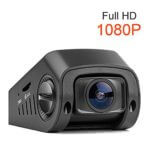
#1 – Full HD – The first whistle you’ll want your Dash Camera to have is 1080P Full HD. Gone are the days of 720P video and now video technology is high-high definition. Make sure any camera you look at comes equipped with Full HD. Many newer models now offer 2K or 4K for even sharper video footage and license plate clarity. Look for high-bitrate (45 Mbps+) encoding to ensure fine details are not lost to compression.
#2 – Wide Angle Recording is also a must-have feature for a dash camera to have. You want at least 120 degrees or better to capture the full width of the road as you’re driving. This will also allow for capturing side medians. A wider field of view (e.g., 140°–170°) helps with lane coverage and evidence. Narrower lenses often miss action in adjacent lanes, which can matter for insurance or disputes.
#3 – Audio Recording is important too so that you can narrate the video as you drive. Some new models even capture sound outside the vehicle. Read reviews because some dashcams have a poor audio recording. Audio can add context for insurance or disputes.
 #4 – Micro SD Card support for storing video content, 64 GB is best, especially for long trips. <a title="Best Micro SD Card for Dash Camera” href=”https://dashcameragear.com/best-micro-sd-card-for-dash-camera/”>best Micro SD cards for dash camera loop recording allow you to remove the card and insert it into your computer or your cell phone for easy replay. Use high-endurance cards rated for continuous writing and consider loop recording so the camera overwrites oldest footage when full.
#5 – Battery Life is extremely important so make sure any dashcam you consider has details on battery life. Read the reviews to see what verified customers say about battery life. How long does a charge last? Also, is it easy to recharge? And how long does it take to recharge? Some new dashcams now come with capacitors instead of batteries for better heat tolerance. Make sure to read reviews before buying…
#6 – Screen Size is a key feature. The average dashcam screen size is 2.7 inches but some models have much larger screens and you’ll obviously pay more for a bigger screen. A small screen is fine if you use WiFi or an app to review footage on your phone.
#7 – G-Sensor measures G-Force in 3 dimensions to capture impact if you’re in an accident. This is not a must have but most dashcams now come with a G-Sensor as a standard feature. Basically, any vibration can tip the ‘on’ switch and lock the clip so it isn’t overwritten by loop recording.
#8 – GPS Tracking allows satellite tracking of a vehicle when the camera is rolling. This is a cool feature that can be used with Google Maps. GPS adds speed and location metadata to footage, which helps with insurance and evidence. Some insurers and fleet managers specifically look for GPS-stamped video when reviewing claims or driver behavior.
#9 – Night Vision for recording when there’s low light. This is important for long trips, especially when the trip extends from daytime into the evening. Look for Sony STARVIS 2 sensors or equivalent low-light performance in reviews so you get clear footage after dark. Sensors with High Dynamic Range (HDR) are essential for reading license plates under bright headlights.
#10 – Software Apps for downloading your videos onto your computer or cell phone. Or for managing the dashcam remotely. Companion apps make it easier to change settings, view live feed, and transfer files without removing the card.
#11 – Built-in-Wifi is optional. Although WiFi comes in a lot of higher end dash best dash cameras for cloud storage and auto-backup or for allowing remote control of the camera via a cell phone. It a nice to have a feature if you want more control and have the budget…
You might also want to see our buyer’s guide or what to know about dash cameras for more information.
Frequently Asked Questions (10-Q)
What is a dash camera?
What does 1080p Full HD mean for a dash cam?
Why is wide angle important in a dash cam?
What is a G-Sensor in a dash cam?
Do I need GPS on my dash cam?
What is loop recording?
Should I choose a dash cam with a battery or capacitor?
What size microSD card do I need for a dash cam?
What is night vision in a dash cam?
Is built-in WiFi necessary on a dash cam?
Conclusion
Learning these 11 dash camera basics—Full HD, wide angle, audio, microSD, battery or capacitor, screen size, G-Sensor, GPS, night vision, apps, and WiFi—helps you choose the right camera for commuting, safety, or vlogging. Start with at least 1080p, 120°+ field of view, and loop recording with G-sensor; then add GPS or WiFi if your budget allows. Check our buyer’s guide and top-rated and best-selling dash cameras for your next step.
Dash Camera Guide: Basic Features
Are you ready to see some of the best dash cameras on the market today? Good!
For the next step, let’s jump over and detailed reviews of the 10 best-selling dash cameras